Thank you for downloading BikeCrumbs, this application has been written by a Motorcyclist for Motorcyclists. As an active member of an IAM RoadSmart Advanced Motorcyclists group, and leading various group rides, and therefore knowing the difficulty sometimes to keep the ride together.
What does the app try to solve?
Motorcycling in groups is great fun! Keeping the ride together is sometimes challenging. We can agree a destination, we can share a GPX – but sometimes a leader changes the route because of traffic, or roadworks etc. With this app, we don’t even need to agree where we are going, we simply follow the leader! They leave a breadcrumb trail and the rest just follow along.
This app has been written as a tool to supplement the typical marker system used by motorcycle groups. It is deliberately simple and makes no attempt to become a turn by turn navigational tool.
Here are the roles:

Lead: it all starts with one person creating a ride by clicking the ‘Lead Ride’. This will automatically create a unique code that can be shared with other riders. The lead clicks to ‘Start’ the ride at which point a track will be created based on their route.
TEC: this is an optional role, but is the ‘Tail End Charlie’ – the rider who rides at the back of the group. By entering the ride code and clicking ‘Tail (TEC)’ the TEC role is added to the ride. The Lead and TEC can always see how far they are from each other as a measure of how spread the group is.
Follower: ride followers enter the ride code and a nickname. They will see the trail left by the leader and can follow wherever they go.
All riders will see pins on the map to see the position of all other riders. Lead & TEC are shown in red, all other riders in Blue. This can be useful to see if anyone goes off the track.
Clicking leave will immediately leave that ride and remove your position from all other riders.
Emergency Info:
Add emergency info such as next of kin details, allergies etc. It might seem more data than is needed for a group ride, but if something did happen, then it enables the lead/TEC to contact someone as well as if necessary let the emergency services know key information to ensure you get the help needed. Note: the emergency info is only ever shared whilst in a ride and only with the lead/TEC. As soon as you leave a ride the information is immediately deleted.
A few other features:
Tapping on the code when in a ride, will copy the ride code so that you can paste it into a WhatsApp message to share with the group.


Clicking on the role at the top right, will show a menu allowing to (1) Place a marker to indicate the planned start/end of the ride (2) zoom to show all riders (3) show/hide traffic on the map or (4) switch out of 3D zoom mode into a default maps mode
Leaders can optionally choose their own ride code (must be 6 digits) and if it’s not in use it’s yours! You also have the ability to ‘reserve’ a ride by creating it – DON’T CLICK START – and then exiting the ride. This will ask you if you want to keep the reserved ride, or discard it.
Why reserve a ride? Plan ahead – set up your ride code (share it on FB), place a start & end marker, or even import a GPX of your expected route. All followers will see the expected route as a dashed line on their maps — your actual route will be a solid blue line drawn over the top. This option lets people know what you are planning, but is entirely optional.
Rides can only be USED ONCE. Meaning once you have ‘started’ a ride, when you as leader exit it will be marked for deletion (part of the no personal data approach).
Importing GPX is mentioned above, but needs a bold bit of text to be noticed. Use your favourite planning app, then export a GPX and share. On iOS you will be able to share your GPX with Bikecrumbs. Note: only leaders can import a GPX. So you need to create a ride (map view with ride code), then export from your nav tool and select Bikecrumbs. It will create a track for your route. Note: the route is not updated based on traffic, and is the same track shown to all riders (for obvious reasons!).
Note: if you are using the Android version, there is a subtle difference that you must save the GPX file somewhere (Downloads) in your favourite nav tool, then use the top right hand menu to select import GPX, and then find the file in your downloads (or wherever you saved it).

Location Searching:Tap the map and a search bar will appear. Search for your locations. By default you can then set that as Start or End of the ride – or just click cancel, then move the map to the exact place you want the pin, click on the menu (top right) and select ‘Set Start/End’. The next touch on the map will drop a pin and again you can click with as Start or End (or cancel to try again!).
All riders will be able to see the start and end of a ride making planning easier.
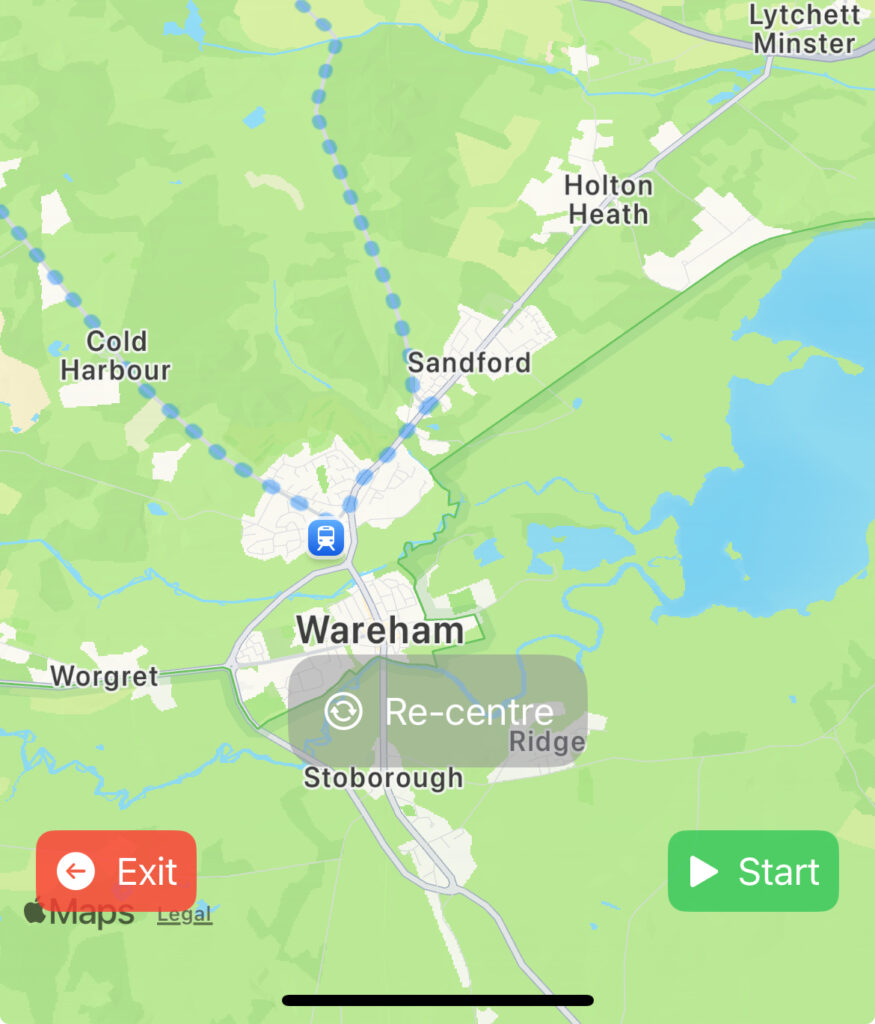
Kind of obvious – but whenever ‘Re-centre’ is displayed, that means you have taken control of the map and Bikecrumbs will no longer follow your location. To return to the mode that follows you (and hence the track), just click on ‘Re-centre’.
Saving & Deleting:as you will have seen, no user accounts or passwords – in fact no personal data is used or stored by this app (ok, so location is personal data, but the app just adds your nickname so its not really very personal!!). As a result, there is no ability to store used rides — as soon as the leader clicks “End” the ride will be marked for deletion and no new followers can join. When it’s gone – it’s gone! I know that might be annoying, but to change that will need user accounts and storage, and do we really want that?? The motto is keep it simple!
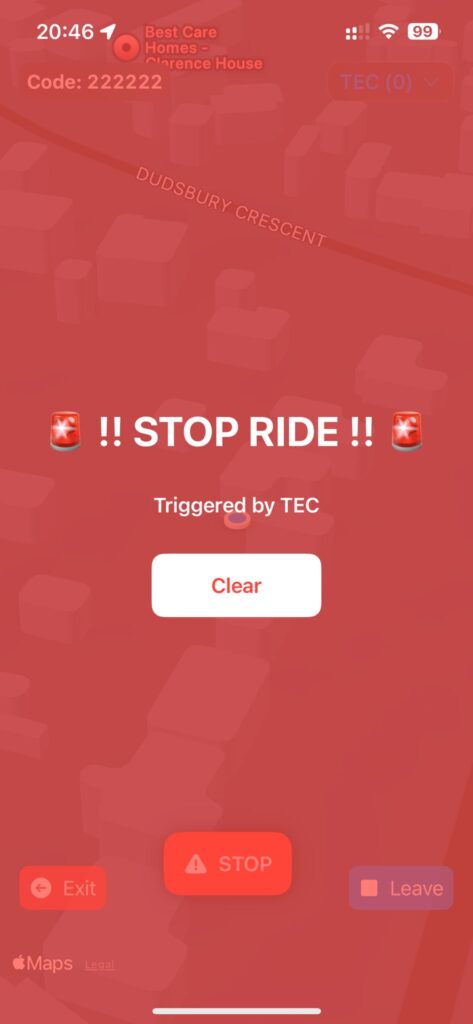
Emergency Stop! sometimes things go wrong and there is a puncture etc. v2.2.2 introduces a new ‘Emergency Stop’ feature that allows Lead or TEC to raise an event which is displayed to all riders to inform them that there is an issue and they should find a place to safely stop and re-group.